Android 39

Glide 라이브러리 이용할 때 GlideException 오류 해결 방법

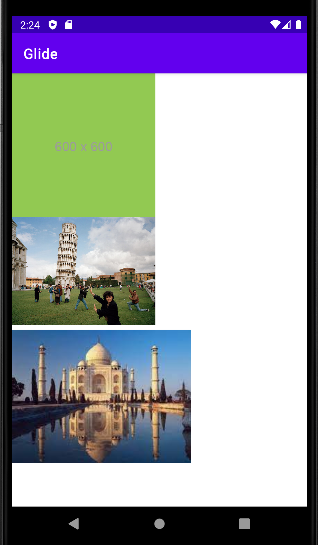
Glide라이브러리를 이용하여 imageView 에 이미지를 나타내려하는데 GlideException 오류가 발생하였다. 기본적으로 설정해줘야하는 매니페스트, network_security_config.xml 파일을 생성하였을 때도 오류가 해결되지 않는다면, 이때는 호출하려는 imgUrl을 확인해보아야한다. Glide 라이브러리 이용시 이미지 url 에서 프로토콜을 Http 를 사용하는 경우 HttpException 오류가 발생하기 때문에, replace 함수를 이용하여 http 를 https로 replace 하여 문제를 해결할 수 있다. replace 함수를 이용하여 http를 https로 변경해주었더니 이미지가 잘 load 되었다. 이런 사소한 부분에서도 오류가 발생하니 로그를 잘 확인해보자!
Android 2023.04.17

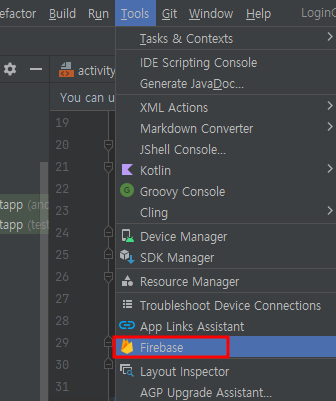
firebase 의 Authentication 기능을 이용하기 위한 안드로이드 환경셋팅하기

파이어베이스 회원가입 인증을 하기 위해 1. project 수준의 build.gradle 파일에 코드를 작성한다. 기본적으로 작성돼있는 plugins 코드 위에 작성해야 오류가 발생하지 않는다. buildscript { dependencies { classpath 'com.android.tools.build:gradle:7.2.2' // The google-services plugin is required to parse the google-services.json file classpath 'com.google.gms:google-services:4.3.13' } } 2. module 수준의 build.gradle 파일에 아래 코드를 작성한 후 sync now 한다. plugins 부분에 작성할 코드 ..

Android 2023.02.24

firebase 의 realtime database 를 이용하기 위한 안드로이드 환경설정

1. firebase 의 공식 사이트로 이동한다. https://firebase.google.com/?hl=ko Firebase Firebase는 고품질 앱을 빠르게 개발하고 비즈니스를 성장시키는 데 도움이 되는 Google의 모바일 플랫폼입니다. firebase.google.com 2. firebase 에 android 앱을 등록한다. 3. 구글 서비스 플로그인에서 제공하는 json 파일 다운로드 후 안드로이드 프로젝트에 추가한다. 4. project 수준의 build.gradle 파일에 소스코드 추가 기본적으로 작성돼있는 plugins 코드 위에 작성 해주어야 오류가 발생하지 않는다. buildscript { dependencies { classpath 'com.android.tools.build:g..

Android 2023.02.24

Retrofit2 라이브러리 사용을 위한 설정 방법

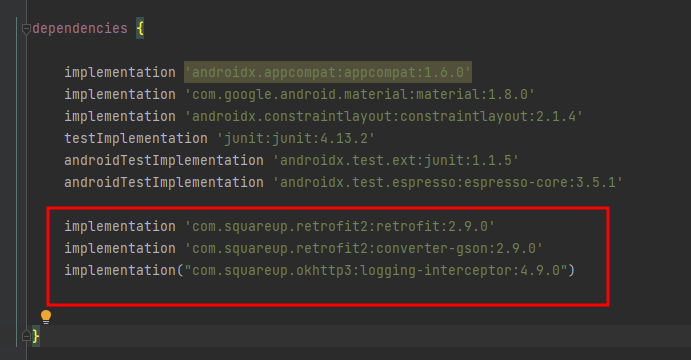
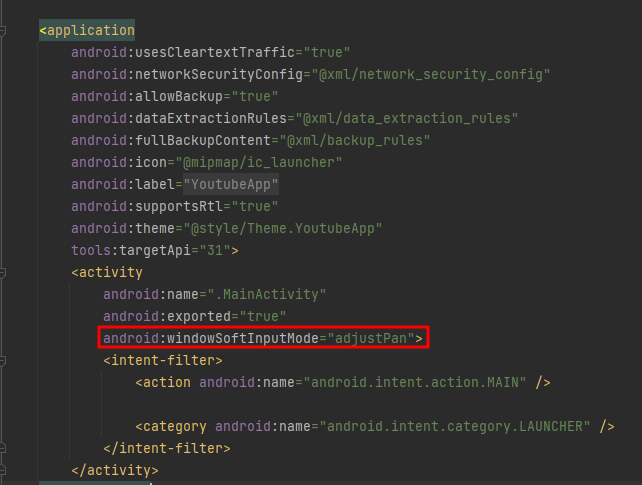
1. Retrofit을 사용하기 위한 Gradle 추가 Gradle 에 코드를 추가해준다. implementation 'com.squareup.retrofit2:retrofit:2.9.0' implementation 'com.squareup.retrofit2:converter-gson:2.9.0' implementation("com.squareup.okhttp3:logging-interceptor:4.9.0") 2. AndroidManifest.xml 파일로 이동하여서 인터넷 권한을 설정해준다. 3. network_security_config 파일을 xml 에 추가해준다. *.amazonaws.com 4. AndroidManifest.xml 파일로 돌아와서 코드를 추가해준다. an..

Android 2023.02.09

recyclerView - 리사이클러뷰 페이징 처리

리사이클러뷰 페이징 처리를 하기 위해서는 addOnScrollListener 코드를 이용하여야 한다. 오바라이딩 해야하는 함수가 onScrollStateChanged, onScrolled 두개가 나타난다. onScrollStateChanged 코드는 건드리지 않고, onScrolled 함수에만 추가적으로 코드를 작성해주면 된다. 맨 마지막 데이터가 화면에 보이면 네트워크 통해서 데이터를 추가로 받아오기 위해서 int lastPosition = ((LinearLayoutManager)recyclerView.getLayoutManager()).findLastCompletelyVisibleItemPosition(); int totalCount = recyclerView.getAdapter().getItemCo..

Android 2023.02.08

안드로이드 스튜디오 버튼 클릭 Intent ACTION_VIEW Uri.parse 활용코드

버튼 클릭 Intent ACTION_VIEW Uri.parse 코드를 함수로 생성하였다. 연락처 선택하는 액티비티 띄우기 // 연락처 선택하는 액티비티 띄우기 void selectContact(){ Intent intent = new Intent(Intent.ACTION_PICK); intent.setType(ContactsContract.Contacts.CONTENT_TYPE); startActivity(intent); } 웹브라우저 실행시키는 인텐트 // 웹브라우저 실행시키는 인텐트 void openWebPage(String url){ Uri uri = Uri.parse(url); Intent intent = new Intent(Intent.ACTION_VIEW, uri); startActivity(..

Android 2023.02.07

상단바 (Action bar) 에 옵션 메뉴 구현하기

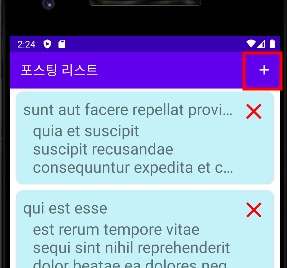
상단바(Action bar)에 옵션 메뉴 구현하기 1. res 파일에 New - Android Resource File 을 선택한다. 2. File name 은 mainActivity 의 액션바이기 때문에 main 으로 하였고, Resource Type 은 Menu 로 설정한다. 3. palette 의 menu item 을 드래그 하여서 가져온다. 4. 가져온 menu item 의 기본적인 옵션을 설정해준다. icon 은 메뉴아이템에 나타낼 아이콘 image 이다. ShowAsAction 을 always 로 설정하면 항상 메뉴 아이템을 액티비티에 나타낸다.

Android 2023.02.07

이미지 처리를 위한 Glide 라이브러리 사용법

Glide 라이브러리는 이미지 처리를 할 때 사용한다. https://github.com/bumptech/glide GitHub - bumptech/glide: An image loading and caching library for Android focused on smooth scrolling An image loading and caching library for Android focused on smooth scrolling - GitHub - bumptech/glide: An image loading and caching library for Android focused on smooth scrolling github.com 1. 아래 링크 게시글을 참고하여서 안드로이드 스튜디오에서 네트워크 통..

Android 2023.02.07

네트워크로부터 받은 Json 데이터에서, json 의 array 를 RecyclerView 로 처리

json 에서 array 를 RecyclerView 로 처리하기 위해서는 반복문을 이용하여서 데이터를 가져와야 한다. 코드 public class MainActivity extends AppCompatActivity { RecyclerView recyclerView; PostAdapter adapter; ArrayList postList = new ArrayList(); final String URL = "https://jsonplaceholder.typicode.com"; @Override protected void onCreate(Bundle savedInstanceState) { super.onCreate(savedInstanceState); setContentView(R.layout.activit..

Android 2023.02.03